avisame.cc

Visual alerts for deaf and hard of hearing people

Captions for your home.

Never miss an important sound again. A device that listens for you. The doorbell rings, a baby cries, a smoke alarm goes off → you get a visual alert on your phone, with a big icon and vibration, in seconds.

  • Audio is processed on the device
  • Keeps working without internet
  • One listens across several rooms
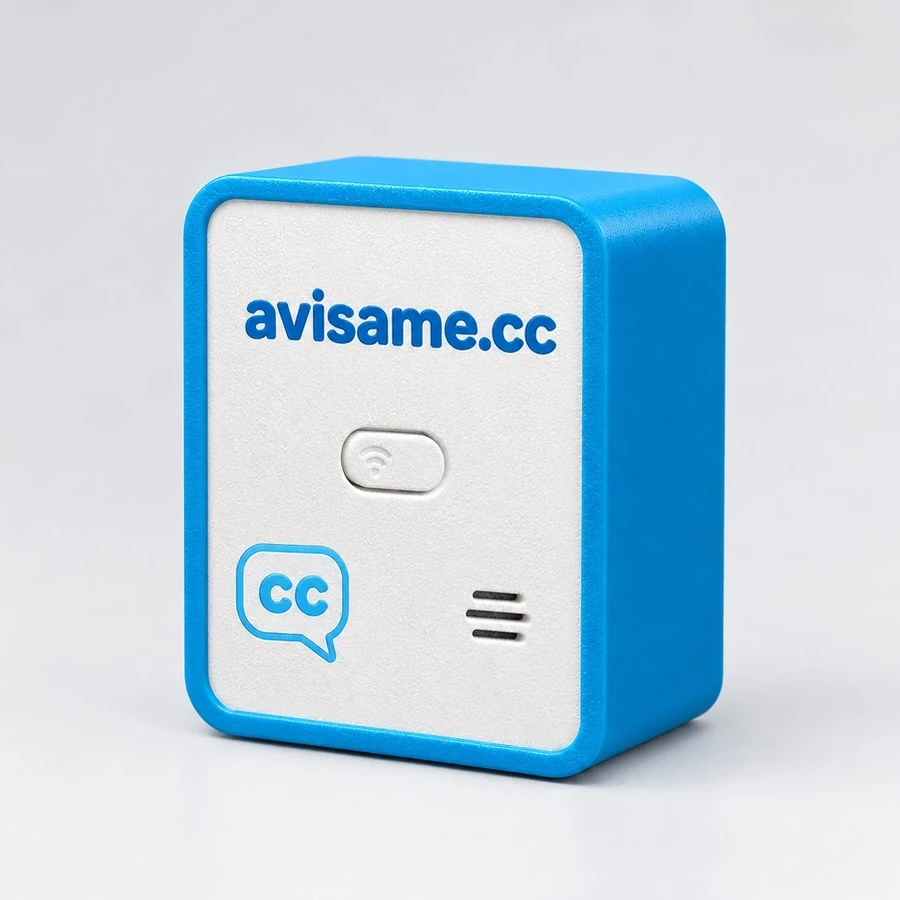
The Avisame device

How it alerts you

Six everyday moments: the doorbell, the baby, the dog, the delivery, the smoke alarm and the washing machine.

What it detects

Each device is set up separately. Turn categories on and off whenever you like.

  • Doorbell
  • Knocking at the door
  • Horn
  • Dog barking
  • Baby crying
  • Call for help (“Help!”)
  • Alarm
  • Smoke alarm
  • Loud bang
  • Phone ringing
  • Gas leak Model with sensor

Where it goes

On the wall or on a piece of furniture, facing the room. It only needs a USB socket.

Front doorDoorbell and knocking
Baby's roomBaby or child crying
KitchenSmoke, alarms and —optionally— gas
Living roomPhone, barking, screaming, glass

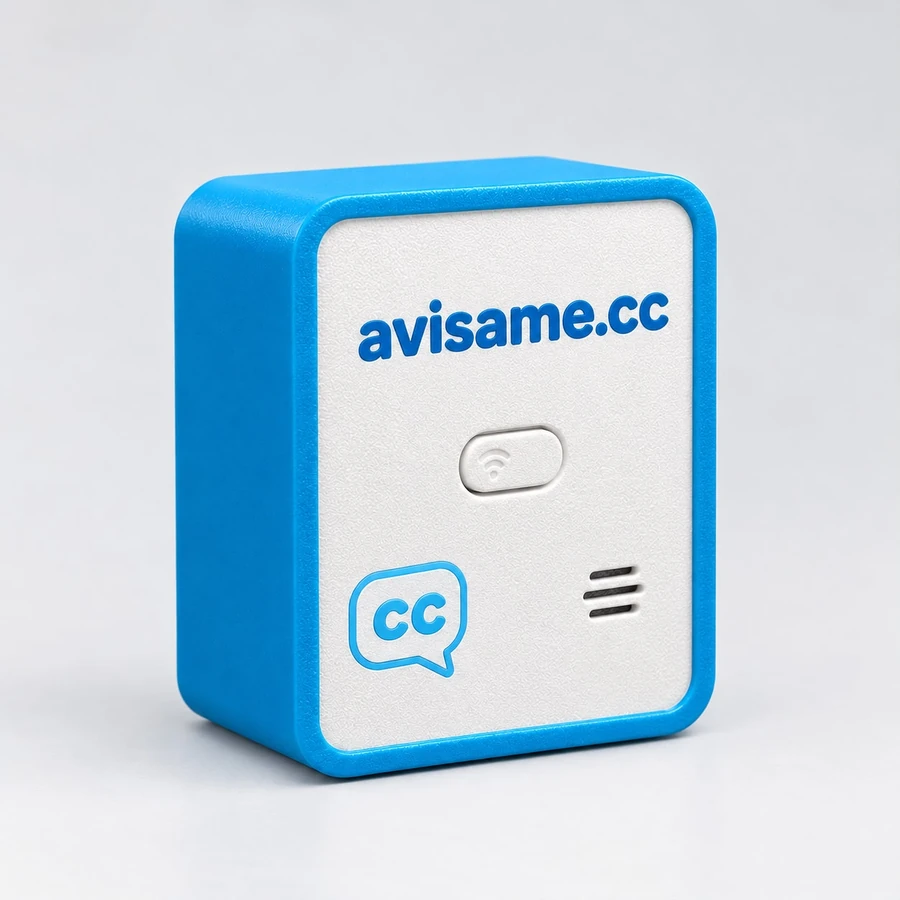
The device

Small, plugs into any charger and updates itself securely over the internet.

  • Smart chip with Wi-Fi
  • Digital microphone that recognises the sounds in your home
  • USB powered — any charger
  • Button to set up the Wi-Fi again
  • Updates itself and, if something fails, goes back to the previous version
  • It can flash your smart lights when it detects a sound
Privacy

In local mode the microphone never transmits audio: the device decides what the sound is and only sends the label. The optional AI mode sends a short clip only after detecting something, and the audio is deleted after it's analysed.

Designed not to rely on hearing

Every alert arrives through several channels at once: never by sound alone.

Private by design

Audio doesn't leave the device.

In local mode the microphone never transmits audio: only the type of sound detected is sent. We don't keep recordings, unless you turn on audio history for your own device.

Visible, with vibration

Big icon + vibration pattern.

Push notification with large text, an icon and vibration. Critical alerts (smoke, gas) stay on screen until you see them.

Works without internet

Detection is local.

If the network goes down, events are saved and sent when the connection comes back. Lights keep flashing inside your home.

One for the whole home

Picks up sounds from several rooms.

The microphone picks up sound from every direction and reaches sounds several rooms away, so one in a central spot is often enough. In a large home or one with several floors you can add another, for example in the baby's room: all in the same dashboard, each with its own name.

Optional AI mode

More accuracy when you want it.

The device can send a short audio clip to be analysed — only after detecting something, never as a continuous stream. The audio is deleted after the analysis.

Version with a gas sensor

Critical gas leak alert.

One model includes a gas detector module (MQ). The alert is critical and says what to do: air the room and don't use flames or switches.

How to use it

From the box to the first alert in a few minutes, with your phone's camera.

  1. Plug it in

    Into a USB charger, close to the sounds you want to be alerted about.

    The light blinks slowly, in blue: it's waiting for you to set it up. If it doesn't blink, hold its button down for 10 seconds.

  2. Scan its label

    With your phone's camera: it joins you to the device's network.

    On iPhone and Android, with the usual camera. Nothing to install.

  3. Choose your Wi-Fi

    A page opens by itself: pick your network and type its password.

    The device connects and gives you a code. Tap Continue, create your account or sign in, and it's yours.

  4. Get the alerts

    It listens, classifies and alerts you. Automatically.

    No page needs to stay open. Wi-Fi is the permanent connection.

The full step-by-step guide, with what to do if something gets stuck, is in the help guide and in the FAQ.

Accessible end to end

High contrast

Large type, light and dark mode.

Doesn't rely on colour alone

Every state is also said in words: "Online", "Offline".

Vibration and persistent alerts

On your phone and as an installable app (PWA).

Compared with the other ways of finding out

The usual solutions cover one sound, or one place in the house. This is what changes with a device that listens for several things at once and alerts your phone.

Avisame compared with a flashing doorbell, a vibrating pillow and a voice assistant
What to look at Avisame Flashing doorbell Vibrating pillow Voice assistant
How many sounds it alerts you to Doorbell, knocking, crying, screaming, barking, alarms, smoke, breaking glass, loud bangs and the phone. Gas on the model with a sensor. Only the doorbell it's connected to. Only the alarm clock, or the sound it's connected to. Depends on the model and country; it isn't designed for people who can't hear.
Where it reaches you On your phone, wherever you are, with a big icon and vibration. Only in the room where the light is. Only in that bed, while you sleep. In the room, and almost always spoken.
Installation Plugs into a USB charger. No building work or new cables. Usually needs wiring or replacing the doorbell. Plugs in, but goes under the mattress. Plugs in and asks for an account and setup by voice.
Several rooms A single one picks up sounds from several rooms; if needed, more join the same dashboard. One unit per room, each on its own. One per bed. One per room, with its own app.
Audio privacy In local mode the microphone doesn't transmit: only the sound's label is sent. It has no microphone. It has no microphone. It's designed to listen and send voice to the cloud.
If the internet goes down Keeps detecting and flashing the lights; events are sent when it comes back. Keeps working: it's wired. Keeps working. Most features stop working.
Sharing with family Invite whoever you want: alerts only, or alerts and settings. Whoever is in the room sees the light. One person. With the manufacturer's household account.

The comparison is by type of solution, not against a specific product: what each category does varies by model. If you have a specific one in mind, write to us at ayuda@avisame.cc and we'll tell you what it works well with.

How to get started

You buy the device once. Alerts are free forever, and PRO adds more when you need it.

The Avisame device

Step 1 · The device

The Avisame device

US$ 100 US$ 60 -40% one-time payment + shipping

Launch price, only when you buy on this site.

We ship it to your home by post or courier.

  • Smart chip with Wi-Fi
  • Works with any USB charger
  • Updates itself over the internet
  • Picks up sounds from several rooms

Step 2 · Choose your plan

FREE or PRO

FREE

US$ 0 forever

With your device, nothing else to pay.

  • Recognises sounds on the device
  • Phone alerts with vibration
  • Smart lights that flash

See plans and pricing

Frequently asked questions

What we're asked most before buying, and what gets stuck most afterwards. If yours is missing, it's in the help or write to us at ayuda@avisame.cc.

Is Avisame useful if I'm deaf or hard of hearing?

Yes, that is what it is made for. No alert arrives as sound only: you get a phone notification with a big icon and text, plus vibration, and if you have smart bulbs it makes them flash too.

Why do I need it if my phone already recognises sounds?

So you don't depend on your phone. A phone recognises sounds only where it is, and not when it's in a pocket, a bag or charging in another room; Avisame listens to your home 24 hours a day. It's also for people who don't use a phone, like an elderly mum or dad: the lights in the house tell them about the doorbell and other important sounds, there's a panic button to call for help after a fall, and their family is alerted if something serious happens.

What sounds does the device detect?

Doorbell, knocking at the door, a baby crying, screaming, barking, meowing, alarms, smoke alarms, breaking glass, loud bangs and a phone ringing. The model with a gas sensor adds gas leaks. Each category is turned on and off per device.

Does it send the audio from my home to the internet?

No. In local mode the microphone never transmits: the device decides what the sound is and only sends the label. AI mode is optional and sends a short clip only after detecting something, never as a continuous stream; that audio is deleted after the analysis.

Does it work if the internet goes down?

Detection happens locally, so it keeps working. Lights keep flashing inside your home, and events are saved and sent when the connection comes back.

What do I need to install it?

A USB charger, a 2.4 GHz Wi-Fi network and a free account at avisame.cc. No tools, building work or new cables needed.

How long does installation take?

A few minutes, in four steps: plug it in, scan its label with your phone's camera, pick the Wi-Fi and get the first alert. Nothing to install: Wi-Fi is the permanent connection.

The blue light isn't blinking and I can't set it up

While it isn't on any account, the device waits for you to set it up. If it already has an owner or the light doesn't blink, hold its button down for 10 seconds: it restarts and opens its setup network for 5 minutes, while it keeps alerting. Pressing it once is the panic button: it alerts everyone who gets its alerts.

Alerts aren't reaching my phone

Check that Avisame notifications are allowed, that the device shows as Online and, on Android, that Avisame is excluded from battery saving. On Xiaomi, Redmi and POCO also turn on Autostart and choose No restrictions. On iPhone, allow Avisame notifications in your Focus mode.

Does it work on iPhone and Android?

Yes. You set it up with your phone's camera, on either one, without installing anything. Alerts come through the Avisame app in both stores or through the browser.

Can I put a device in each room?

Yes, though often you don't need to: the microphone picks up sound from every direction and a single one reaches sounds several rooms away. In a large home or one with several floors you can add more —the baby's room, upstairs— and they all sit in the same dashboard, each with its own name and its own sound categories.

Can I share the alerts with my family?

Yes. From the device, Share sends an invitation by WhatsApp or email, and you choose whether that person only gets the alerts or can also change the settings.

Do I have to pay a subscription to get alerts?

No. You pay for the device once, and alerts, notifications and lights are free forever on the FREE plan. PRO is optional and adds live streaming, history and AI mode.

How is it different from a flashing doorbell or a vibrating pillow?

A flashing doorbell alerts you to one sound, only in the room where it's wired; a vibrating pillow alerts you while you sleep, in that bed. Avisame listens for several sounds at once, from several rooms, follows you to your phone wherever you are, and in a large home you can add devices to the same account.

What if I want to give it away or sell it?

On the device, Unlink leaves it without an owner, ready for someone else to add it to their account. It can also be handed over in person: by holding its button down for 10 seconds and following the steps with the QR on its label. Your history doesn't go with it.
A specific problem with your device? At avisame.cc/help you'll find the setup step by step, what to do if the blue light doesn't blink, how to share the device and how to unlink it.

Try Avisame with your account

Create the account, plug in the device and within minutes you're getting alerts. No card needed.

Create a free account I already have an account